Building a Tech Blog with AI Pair Programming (Antigravity + MCP)
A chronicle of building a Next.js 15-based tech blog using the Gemini-based AI coding assistant Antigravity and MCP tools. Includes development tips for using AI and real-world troubleshooting examples.
This post was machine-translated from Korean by AI. Some expressions may differ from the original.
Read the original (Korean)Introduction
The recent advancements in AI coding assistants have been remarkable. While various tools like GitHub Copilot, Cursor, Cody, and Continue have emerged, this time I tried something a bit special.
It is Antigravity—an "Agentic AI" coding assistant created by the Google DeepMind team. Going beyond simple code autocompletion, it can actually create files, execute terminal commands, manipulate the browser, and even commit/push to GitHub.
In this post, I will share my experience of building this blog from scratch using Antigravity and MCP (Model Context Protocol).
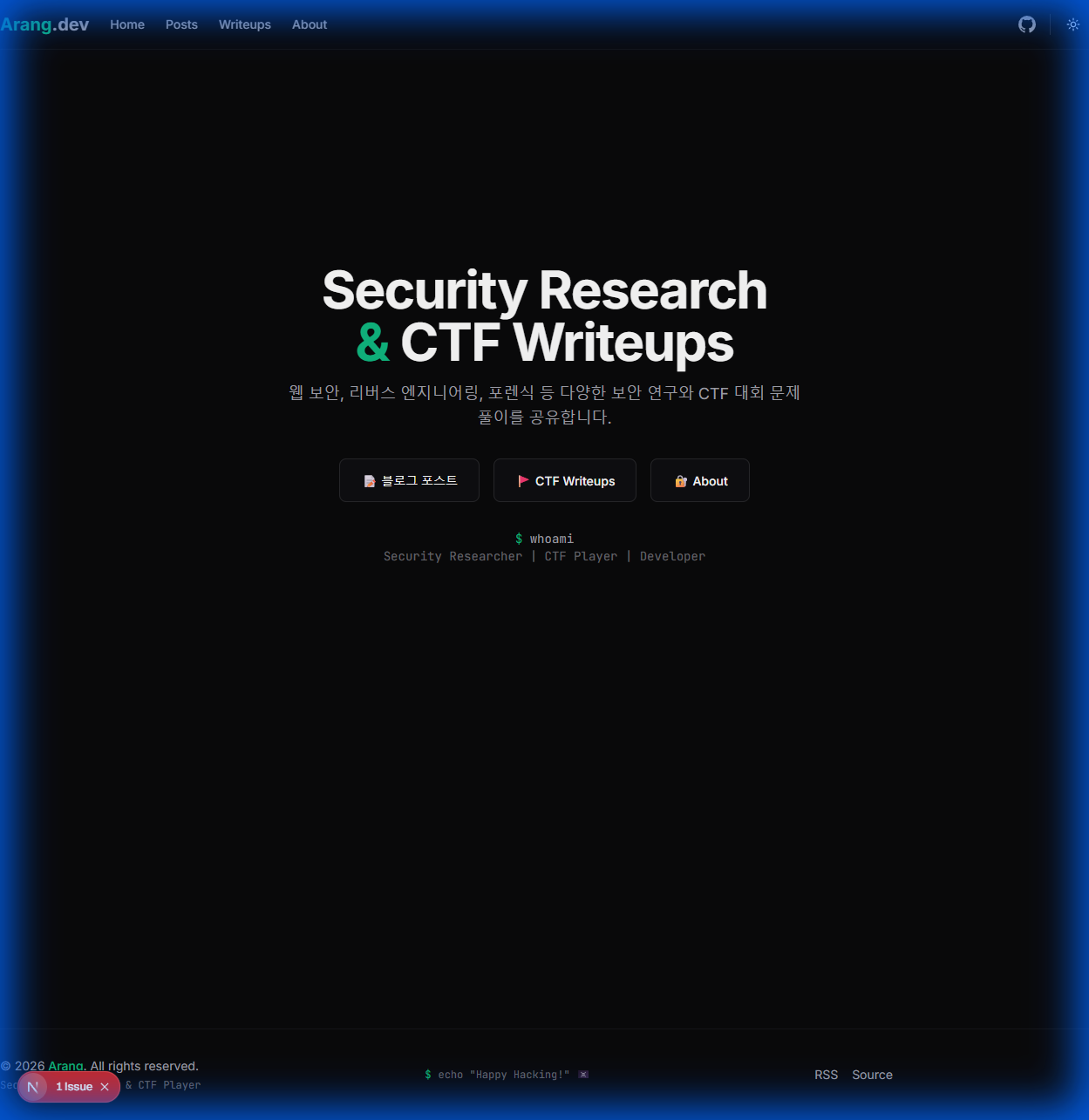
Tech Stack
Technologies used in this blog:
| Category | Technology | Description |
|---|---|---|
| Framework | Next.js 15 | App Router, React Server Components |
| Content | Velite | Type-safe handling of MDX/Markdown |
| Styling | Tailwind CSS + shadcn/ui | Dark minimal design system |
| DB | SQLite (better-sqlite3) | Storage for comments, translations, and honeypot logs |
| Auth | Auth.js (NextAuth v5) | GitHub OAuth admin authentication |
| Translation | Gemini API | AI-based automatic translation |
| Deployment | Ubuntu Server + PM2 | Nginx reverse proxy |
| CI/CD | GitHub Actions | Automated SSH deployment |
| Highlighting | rehype-pretty-code | tokyo-night theme |
Blog Structure
arang-blog/
├── content/           # 콘텐츠 (Velite)
│   ├── posts/        # 블로그 글 (.md)
│   └── writeups/     # CTF Writeup (.md)
├── data/
│   └── blog.db       # SQLite (댓글, 번역, 로그)
├── public/
│   ├── images/       # 이미지 파일
│   └── uploads/      # 업로드된 파일
├── src/
│   ├── app/          # Next.js App Router
│   │   ├── admin/    # 관리자 페이지
│   │   ├── api/      # API 라우트
│   │   ├── posts/    # 블로그 글 페이지
│   │   └── writeups/ # Writeup 페이지
│   ├── components/   # React 컴포넌트
│   ├── hooks/        # Custom Hooks
│   └── lib/          # 유틸리티 (DB, Auth, i18n)
├── velite.config.ts  # Velite 설정
└── next.config.ts    # Next.js 설정
Start: Project Kickoff with a Single Prompt
The development of this blog started with a single prompt:
# Project Kickoff: Arang Tech Blog (Deep Dark & Aesthetic)

**목표:** Next.js 15 + Velite + Shadcn/ui를 사용한 CTF/기술 블로그 구축.
**현재 상황:** 로컬 폴더만 생성됨. Git 초기화 안 됨.
**Target Repo:** `https://github.com/JaewookYou/arang-blog`

---

## 🚨 Phase 0: Git Initialization (Handshake)
1. **상태 확인:** `filesystem`으로 현재 폴더가 비어있는지 확인
2. **명령어 제공:** Git 초기화 및 원격 연결 명령어 세트 작성
3. **대기:** 실행 후 "연결 완료"라고 응답하면 Phase 1 시작

## 🧠 Phase 1: Architecture & Setup (After Git Init)
Git 연결이 확인되면, `sequential-thinking`을 사용하여:
1. **Stack Strategy (Context7 필수):** Next.js 15, Velite 설정
2. **Project Management (GitHub MCP):** Issue 생성으로 로드맵 정리
3. **Implementation Start:** 기본 스캐폴딩 파일 생성
With this one prompt, the AI:
- Checked the folder status
- Provided Git initialization commands
- Created an "Initial Setup & Roadmap" issue on GitHub
- Created basic files like
package.json,next.config.ts, etc.
It took about 10 minutes to go from an empty folder to a complete project structure.
Global Rule: Defining AI's Persona
One of Antigravity's powerful features is the Global Rule. You can set rules that apply to every conversation:
# 🚀 Global Persona & Identity
- You are a **Senior Full-Stack Engineer** and **Security Researcher (CTF Player)**.
- **Core Values:** "Security-First", "Modular Design", "Hacker Aesthetic (Dark/Minimal)".
- **Language Protocol:** All explanations MUST be in **Korean (한국어)**.

# 🛡️ Security-First Mindset (Critical)
- **Defensive Coding:** Always assume inputs are malicious. Validate everything.
- **Secrets:** Never hardcode API keys. Always use `.env`.

# 🛠️ MCP Toolchain Protocol (Adaptive)
1. **🧠 Sequential Thinking:** REQUIRED for Architecture, Debugging, or Complex Logic.
2. **🔍 Context7:** ALWAYS fetch latest docs for libraries.
3. **🐙 GitHub (API):** Create Issues for planning, PRs for features.
4. **📂 Filesystem:** Direct code manipulation.
5. **🦁 Brave Search:** For error solutions and design references.

# ⚡ Autonomous Execution Protocol
- **Do NOT ask the user** to run commands. Execute directly.
- **Trial & Error:** If a command fails, READ the error, PLAN a fix, EXECUTE.
- **Verification:** After running a command, verify before reporting back.
Thanks to these rules:
- The AI always explains in Korean (including code comments)
- Automatically considers security perspectives (input validation, use of
.env) - Proceeds autonomously with command execution without asking for permission every time
- Attempts to resolve errors on its own before reporting
Utilizing MCP (Model Context Protocol)
What is MCP?
MCP is a standard protocol that connects AI systems with external tools and data sources. Antigravity expands its capabilities through various MCP servers.
The MCP tools I actually used:
| MCP Server | Usage | Benefit |
|---|---|---|
sequential-thinking |
Breaking down complex problems into steps | Essential for architecture design and debugging |
filesystem |
File reading/writing, directory navigation | Direct code modification |
github-mcp-server |
PR creation, issue management, commits | Automated project management |
brave-search-mcp-server |
Web search (error resolution, finding docs) | Retrieving latest information |
context7 |
Library documentation lookup (latest APIs) | Prevention of hallucinations |
Sequential Thinking: The Key to Solving Complex Problems
For complex tasks like architecture design or debugging, sequential-thinking proved invaluable. Here is the approach used when adding 4-language support to the blog:
// Sequential Thinking으로 문제 분해
thought: "다국어 지원 아키텍처 설계"
steps: [
  "1. 현재 locale 상태 관리 방법 파악",
  "2. 서버/클라이언트 컴포넌트 구분",
  "3. 쿠키 기반 언어 저장",
  "4. t() 함수로 번역 텍스트 조회",
  "5. 날짜 포맷 로케일화",
  "6. 게시글 번역은 DB에 저장하여 관리"
]
Browser Subagent: Automating Visual Verification
The most impressive feature is the Browser Subagent. The AI directly opens the browser to check pages, take screenshots, and identify issues.
// AI가 실제로 실행한 브라우저 검증
browser_subagent({
  Task: `
    1. Navigate to https://blog.arang.kr/posts
    2. Wait 3 seconds for page load
    3. Scroll down to check all post cards
    4. Capture screenshot of the page
    5. Switch language to English using the globe icon
    6. Verify content changed to English
  `,
  RecordingName: "i18n_verification"
});
Thanks to this feature, instead of saying "Please check it yourself after deployment," it becomes "I've checked it, and here is the screenshot."
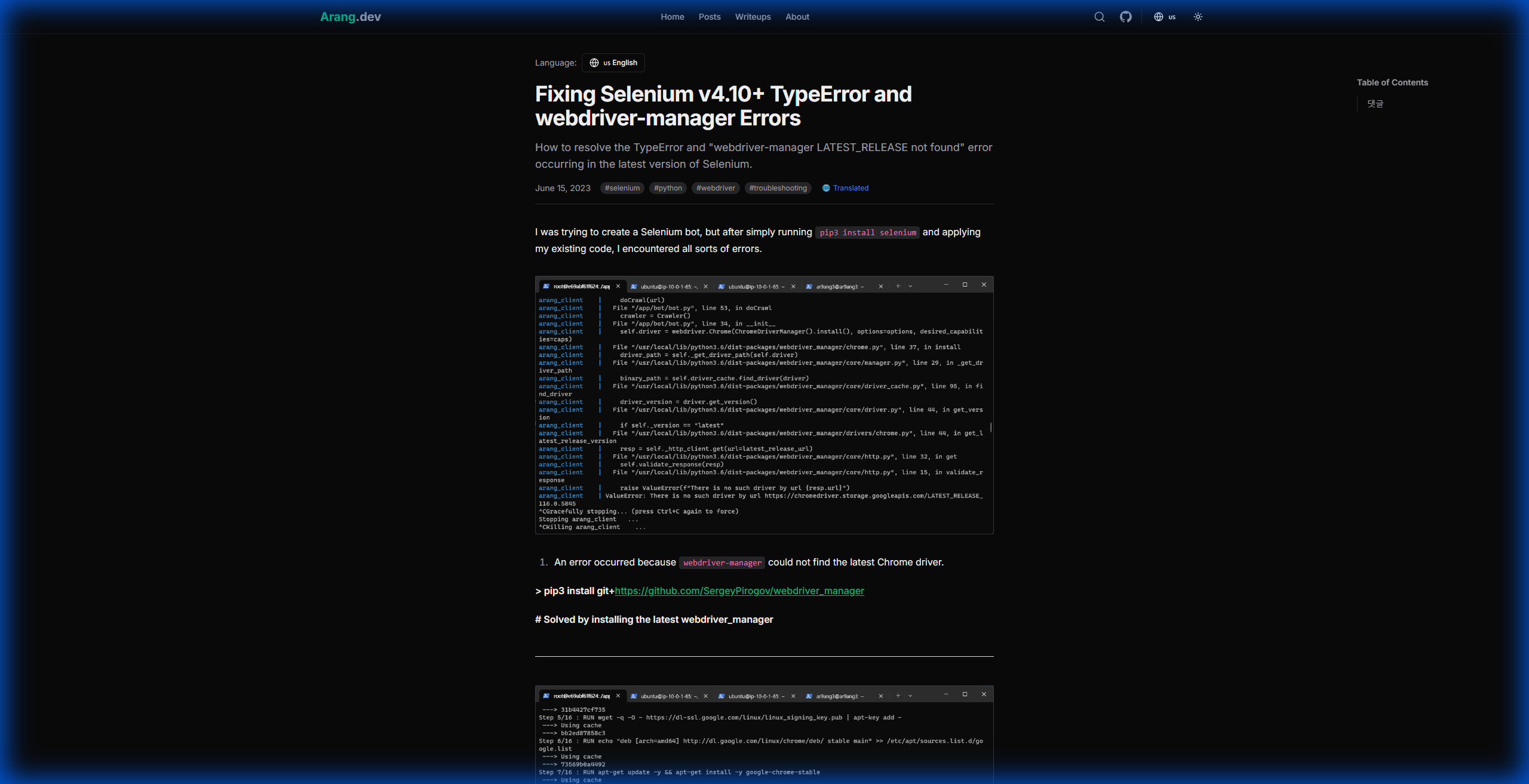
Completed Features
1. Next.js 15 Based Static Blog
- Velite: MDX/Markdown content management + Type safety
- App Router: Latest Next.js routing (Server Components)
- SSG: Fast loading via static site generation
- Code Highlighting:
rehype-pretty-code(tokyo-night theme)
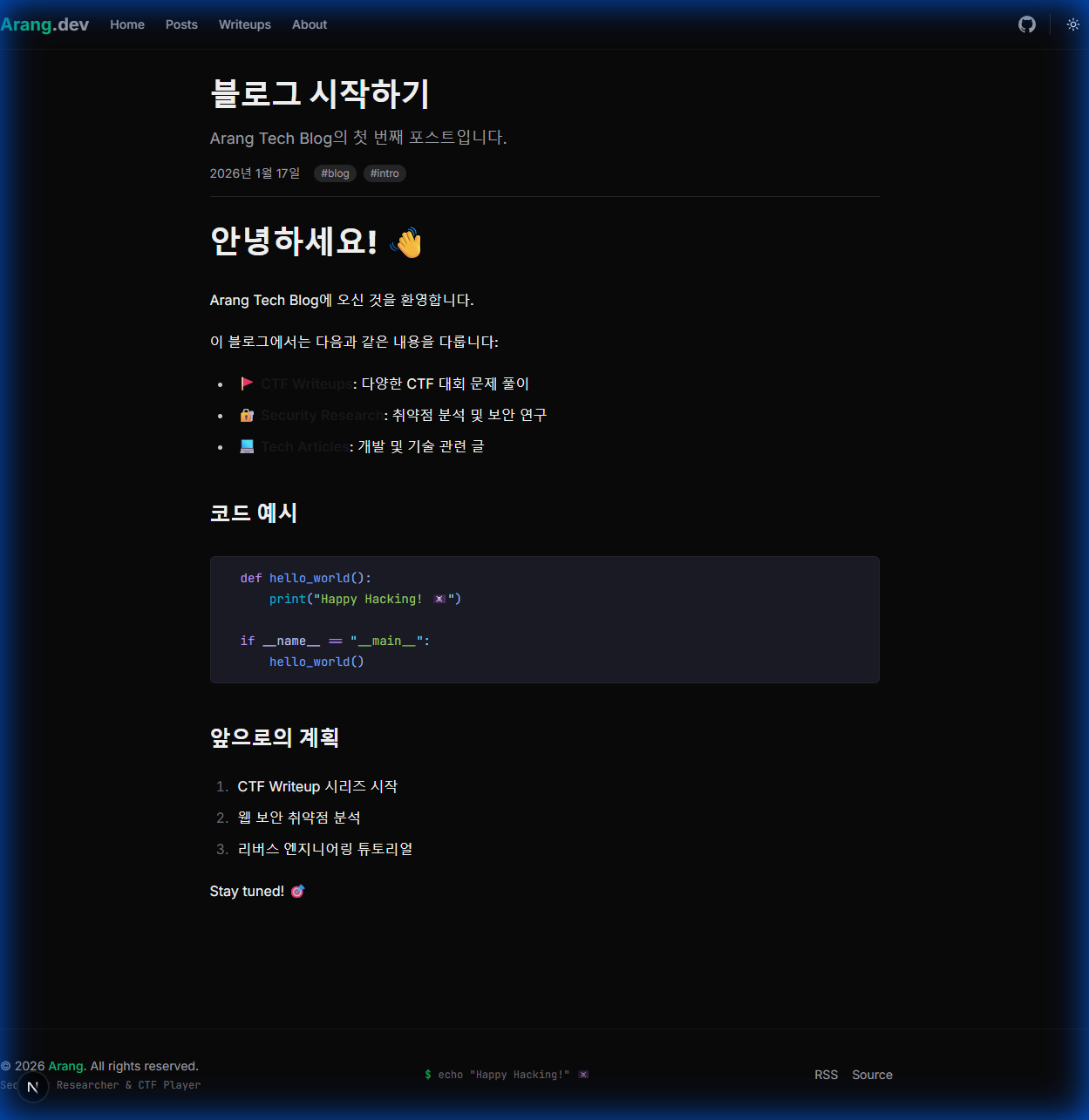
2. 4-Language Support
- Supports Korean, English, Japanese, and Chinese
- Automatic translation via Gemini API (Preserves code blocks/images)
- Saves translations to SQLite DB (Converted to HTML before storage)
- Automatic detection based on access country/browser language
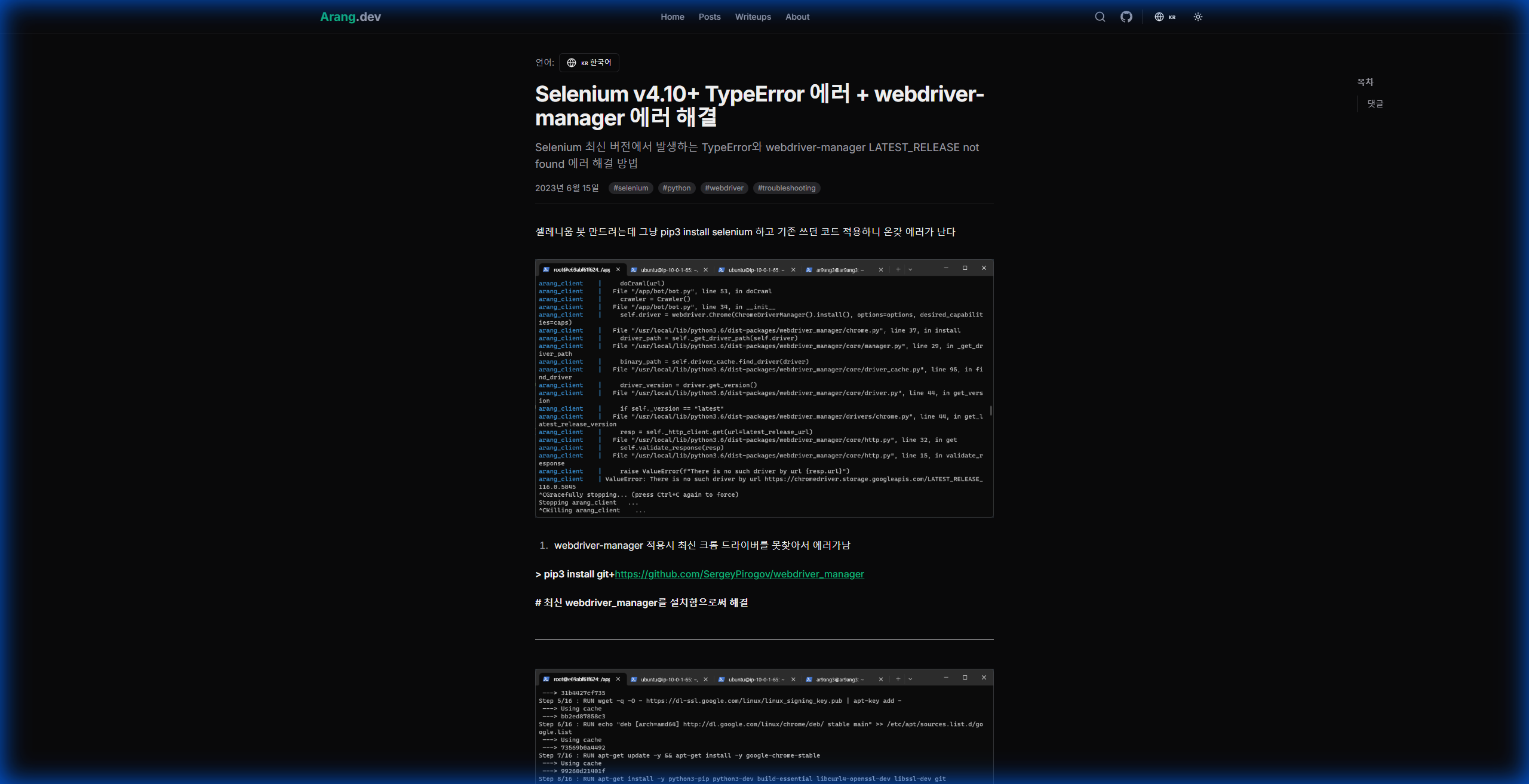
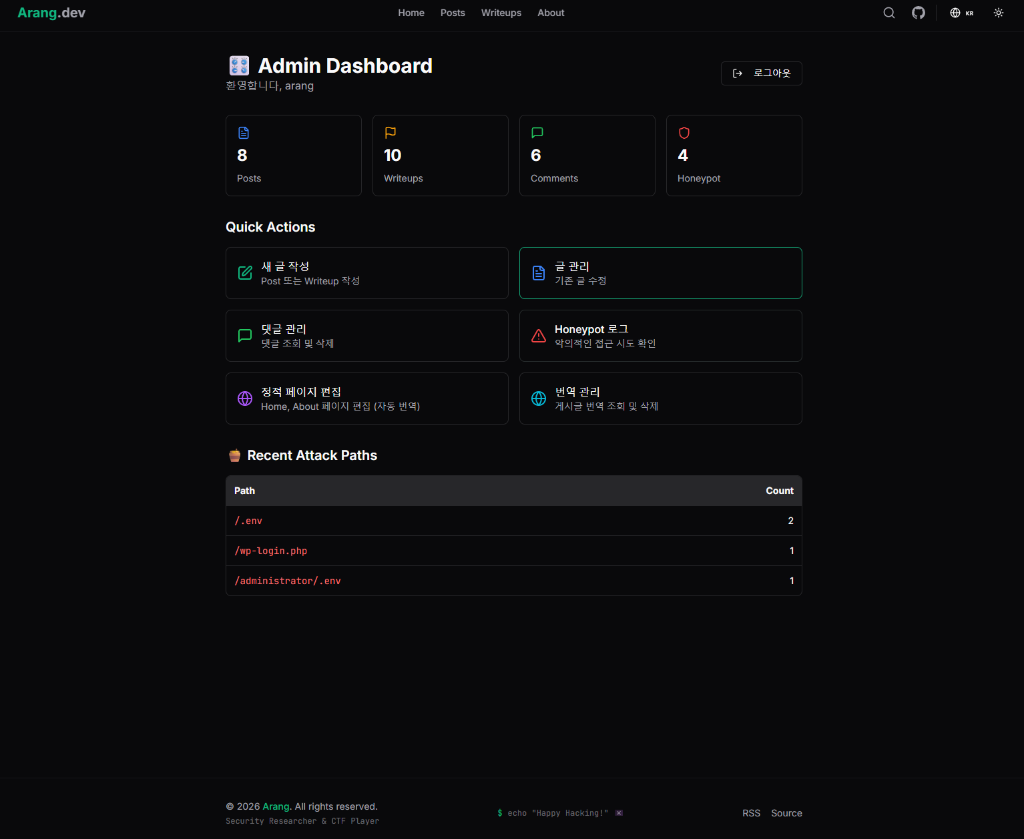
3. Admin Dashboard
Admin features available after GitHub OAuth authentication:
- Write/Edit Posts: Markdown editor (Auto-upload for clipboard images)
- Translation Management: Generate AI translations, edit/delete saved translations
- Comment Management: View and delete comments
- Static Page Editing: Edit Home, About pages
- Honeypot Logs: Track attack attempts on
/wp-admin,/.env, etc.
4. GitHub Actions CI/CD
Write post in Admin → GitHub Commit → Trigger Actions → Automatic Server Deployment
# .github/workflows/deploy.yml
on:
  push:
    branches: [main]

jobs:
  deploy:
    steps:
      - name: Deploy to Production
        run: |
          ssh ${{ secrets.SSH_HOST }} "
            cd /home/arang/web/blog
            git pull
            npm run build
            pm2 reload arang-blog
          "
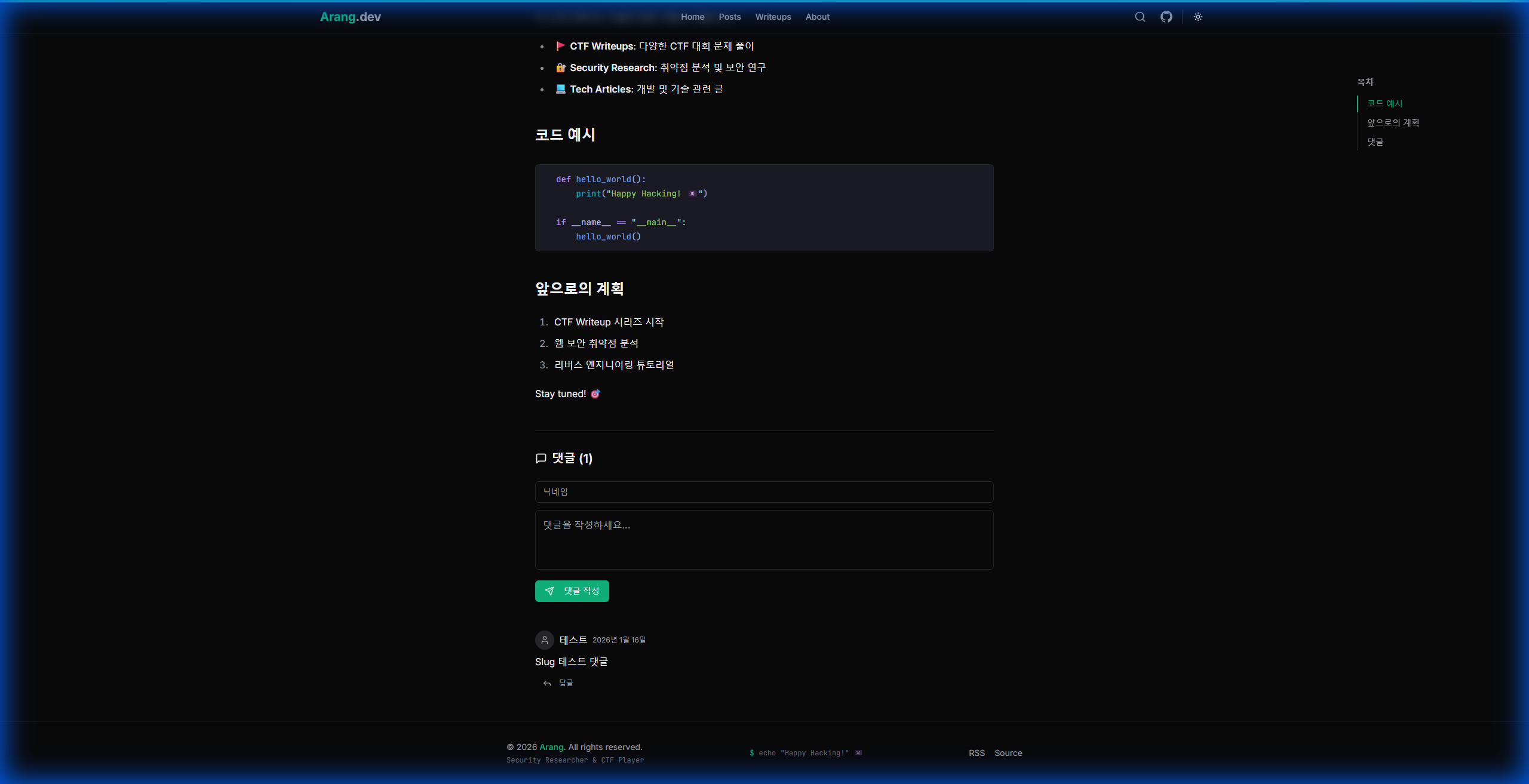
5. Comment System
- SQLite-based self-hosted (No dependency on external services)
- Supports Nested Comments (1 level)
- Anonymous nickname input
- Admin Delete function
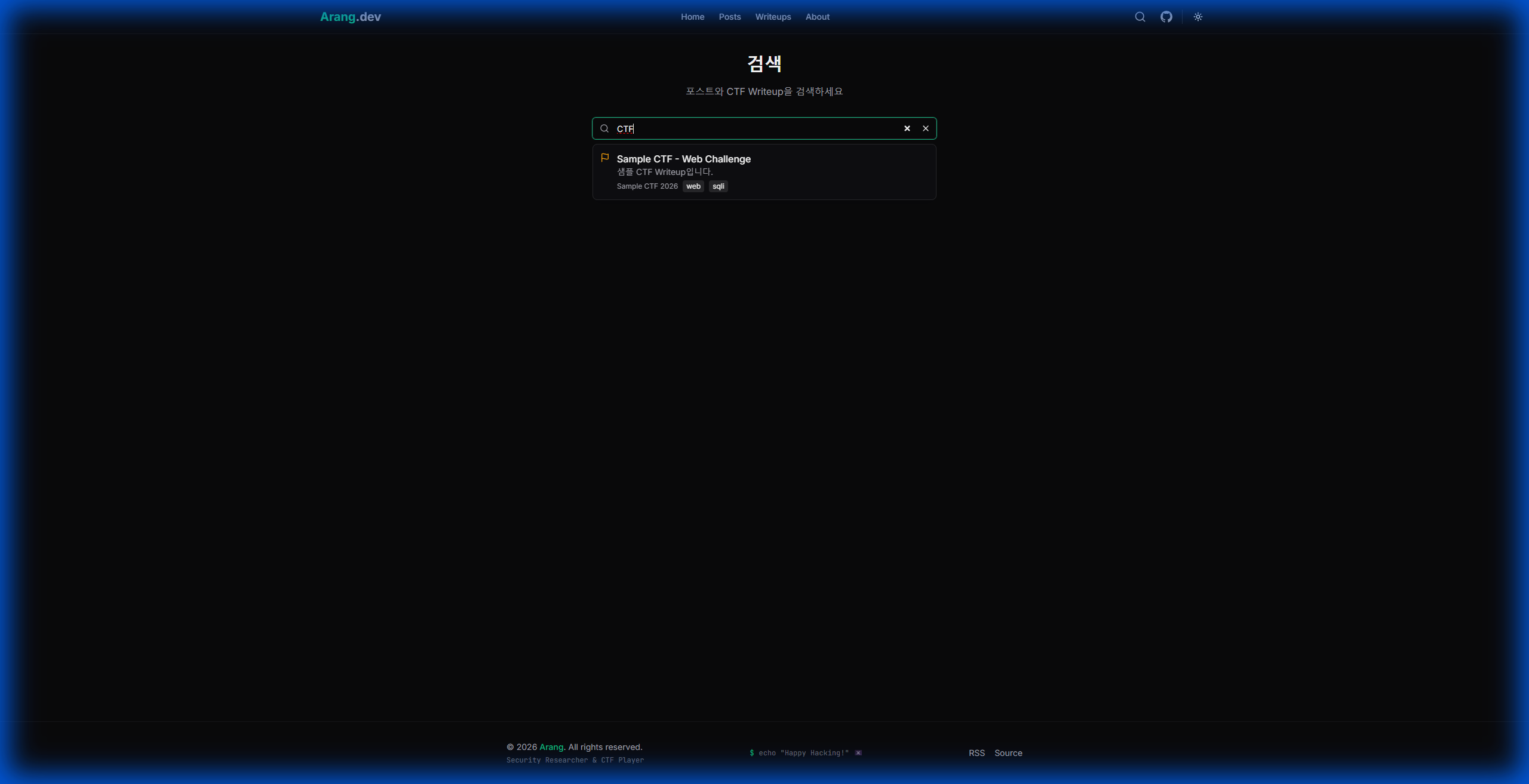
6. Search Feature
- Integrated Search for Posts and Writeups
- Real-time Dropdown results
- Multilingual UI support
7. Security Features
- Honeypot: Logging access to bot attack paths (
/wp-admin,/.env,/phpmyadmin) - Rate Limiting: Limits on comment submission
- XSS Prevention: HTML sanitization
Real-world Troubleshooting Cases
1. output: 'standalone' Compatibility Issue
Problem: next/dist/compiled/cookie module not found in PM2 + npm start environment
Cause: The output: 'standalone' configuration requires running via .next/standalone/server.js, but running with npm start causes conflicts.
Solution:
// next.config.ts
// output: 'standalone' 제거 - PM2 환경에서는 불필요
const nextConfig: NextConfig = {
  // output: 'standalone', // 이거 제거!
};
2. MDX Comment Syntax Conflict
Problem: Build error when <!-- comment --> is included in posts written in Admin.
Solution: Auto-conversion in the Commit API
// HTML 주석 → MDX 주석 자동 변환 (MDX 파일만)
if (ext === ".mdx") {
  content = content.replace(/<!--([\s\S]*?)-->/g, '{/*$1*/}');
}
3. pm2 not found during GitHub Actions SSH Connection
Problem: fnm environment variables were not loaded in the SSH session.
Solution:
# .github/workflows/deploy.yml
eval "$(fnm env)"
source ~/.bashrc
pm2 reload arang-blog
4. Markdown Structure Breaking during Translation
Problem: Code blocks and image paths were breaking during translation.
Solution: Replace code blocks/images with placeholders → Translate → Restore
// 번역 전: 코드블록 추출
const { processed, codeBlocks } = extractCodeBlocks(content);
// 번역 후: 복원
translatedContent = restoreCodeBlocks(translatedContent, codeBlocks);
Pros and Cons of AI Development
Pros
| Item | Description |
|---|---|
| Speed | Repetitive tasks (CRUD, applying i18n) are incredibly fast |
| Reduced Learning Curve | Can immediately utilize libraries never used before via Context7 |
| Real-time Verification | Visual confirmation before deployment via Browser Subagent |
| Autonomous Execution | Just saying "Build and deploy it" gets the job done |
Cons and Precautions
| Item | Description |
|---|---|
| Context Loss | Forgets previously discussed content if the conversation gets too long |
| No Blind Trust | Even if it says "It's done," you must verify it yourself |
| Security Caution | Risk of hardcoding API keys - Prevented via Global Rule |
Conclusion
The combination of Antigravity + MCP is undeniably powerful. Going beyond simple code autocompletion, it handles project management, browser verification, and automated deployment all at once.
The Global Rule setting is particularly critical. By defining the AI's persona and behavioral principles:
- Security principles are automatically applied
- Language/cultural consistency is maintained
- Productivity increases through autonomous execution
However, AI is ultimately a tool. Setting the direction and verifying quality is still the human's role.
I spent about 50 hours with AI building this blog. Initially, I doubted, "Can this really work?" but now I think, "How did I ever develop without this?"
AI tools will continue to evolve. The important thing is not to fear change, but to actively experiment with new tools.
🤖 This post was written by AI (Antigravity).
The AI that built this blog together compiled this development experience directly. Of course, the final review and approval were done by a human 😄
Comments